
Uncategorized
Is Sora 2 Pro Worth Using? A Deep Review of Features, Benefits, and Best Use Cases
Is Sora 2 Pro Worth Using? A Deep Review of Features, Benefits, and Best Use Cases If you are trying to decide whether S
If you are trying to decide whether Sora 2 Pro is worth your time, the real question is simple: does it give you noticeably better video generation quality and workflow control than a standard AI video model, and is that improvement worth the cost and complexity for your use case? This article breaks down what sora 2 pro is good at, where it fits best, and how to decide whether it belongs in your content workflow.
What Sora 2 Pro Is Designed to Do
Conclusion: Sora 2 Pro is best understood as a higher-fidelity option for AI video generation when you need stronger realism, better scene coherence, and more control over the output.
Sora 2 Pro is positioned for generating videos from both text prompts and reference images. According to the available product information, it supports:
- Text-to-video generation
- Image-to-video generation
- Multi-shot storytelling
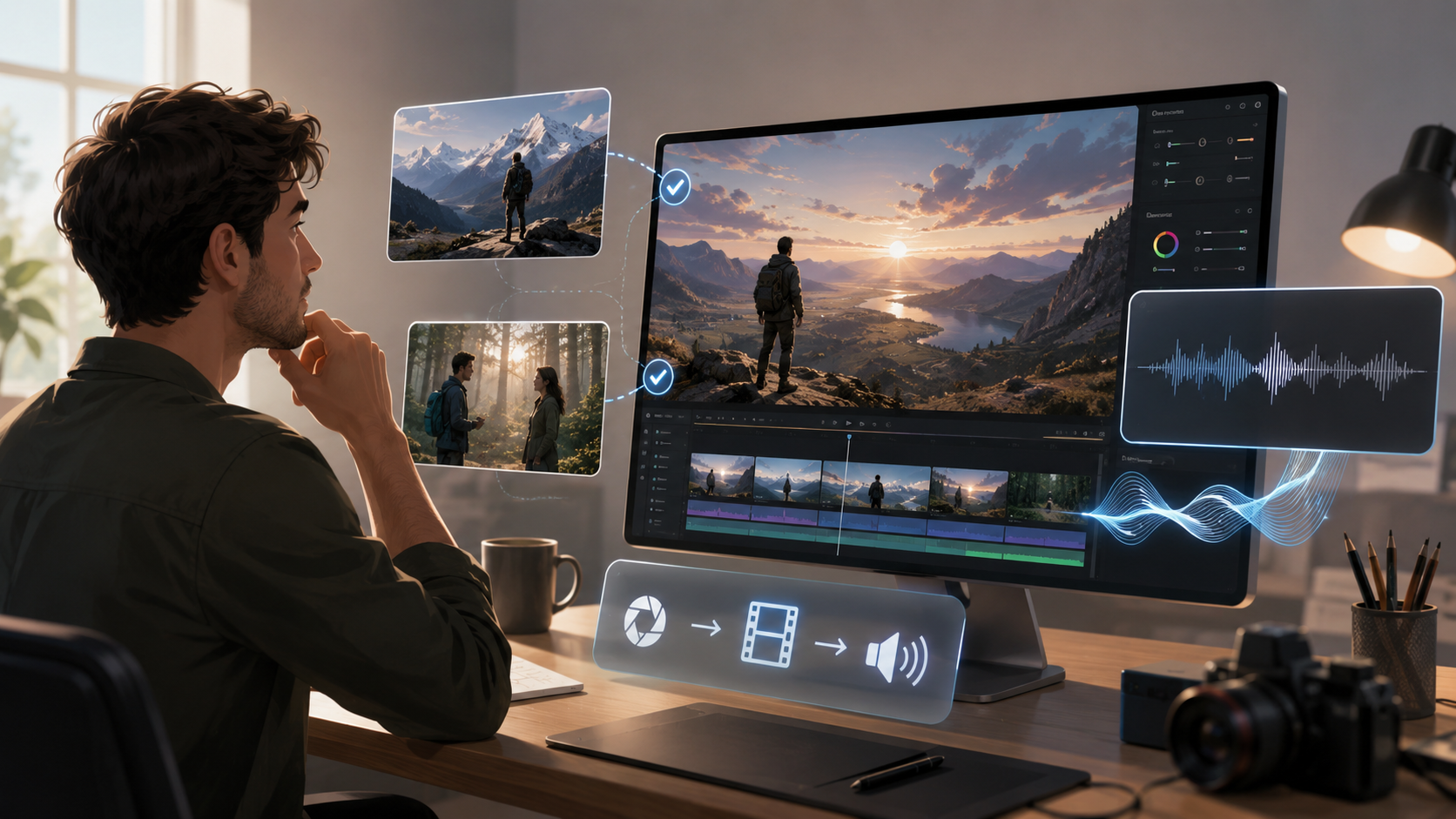
- Synchronized audio
- Camera and style control
- Higher-fidelity output in the Pro tier
That means it is not just about making a short clip from a prompt. It is designed for users who want more cinematic structure, more consistent motion, and a better chance of getting outputs that fit a specific creative direction.
Practical takeaway
If your workflow needs more than a simple animated clip, sora 2 pro is the version to consider. If you only need rough concept visuals or quick tests, a lower tier or simpler model may be enough.
Core Features That Matter Most
Conclusion: The most valuable features are multi-shot coherence, synchronized audio, and the ability to control visual direction.
Below is a compact view of the main capabilities and why they matter.
| Feature | What it enables | Why it matters |
|---|---|---|
| Text-to-video | Creates videos from written prompts | Useful for fast ideation and concept generation |
| Image-to-video | Animates reference images into motion scenes | Helpful when you already have a visual base |
| Multi-shot storytelling | Maintains coherence across cuts and transitions | Better for narrative sequences and structured content |
| Synchronized audio | Adds dialogue, sound effects, or ambience aligned with action | Makes output feel more complete and realistic |
| Camera and style control | Adjusts framing, aspect ratio, and cinematic direction | Supports tighter creative control |
| Pro tier output | Higher-fidelity generation when needed | Best for quality-sensitive projects |
Practical takeaway
Choose sora 2 pro if your priority is output quality and consistency rather than simply generating something quickly. The more your project depends on scene continuity or audio-visual alignment, the more value these features can provide.
When Sora 2 Pro Makes Sense
Conclusion: Sora 2 Pro is most useful for creators and teams that need polished, controllable video generation rather than casual experimentation.
It is a strong fit for situations such as:
- Marketing concepts where you need realistic motion and a more polished look
- Social content prototypes where short-form ideas need quick visual validation
- Storyboard-style sequences that depend on multi-shot continuity
- Product or brand visuals where framing and style need to stay controlled
- Creative previsualization where you want to test scene direction before production
Because it supports both text-to-video and image-to-video, it can serve different stages of the creative process: from early ideation to refinement from a visual reference.
Practical takeaway
Use sora 2 pro when the cost of a weak output is high. If a bad generation wastes time, delays a campaign, or breaks creative continuity, the Pro tier is easier to justify.
When Sora 2 Pro May Be Overkill
Conclusion: If your needs are simple, sora 2 pro may offer more capability than you actually need.
It may not be the best choice if you only want:
- Very rough concept videos
- One-off experimental clips
- Basic prompt tests
- Simple motion from a still image without strict continuity needs
- A lightweight workflow with minimal iteration
In those cases, a simpler video generation setup may be enough, especially if you are not relying on synchronized audio, multi-shot coherence, or detailed camera direction.
Practical takeaway
Before choosing sora 2 pro, ask whether you need quality and control or just speed and convenience. If the answer is “just quick visual output,” the Pro tier may not justify itself.
Workflow and Integration Considerations
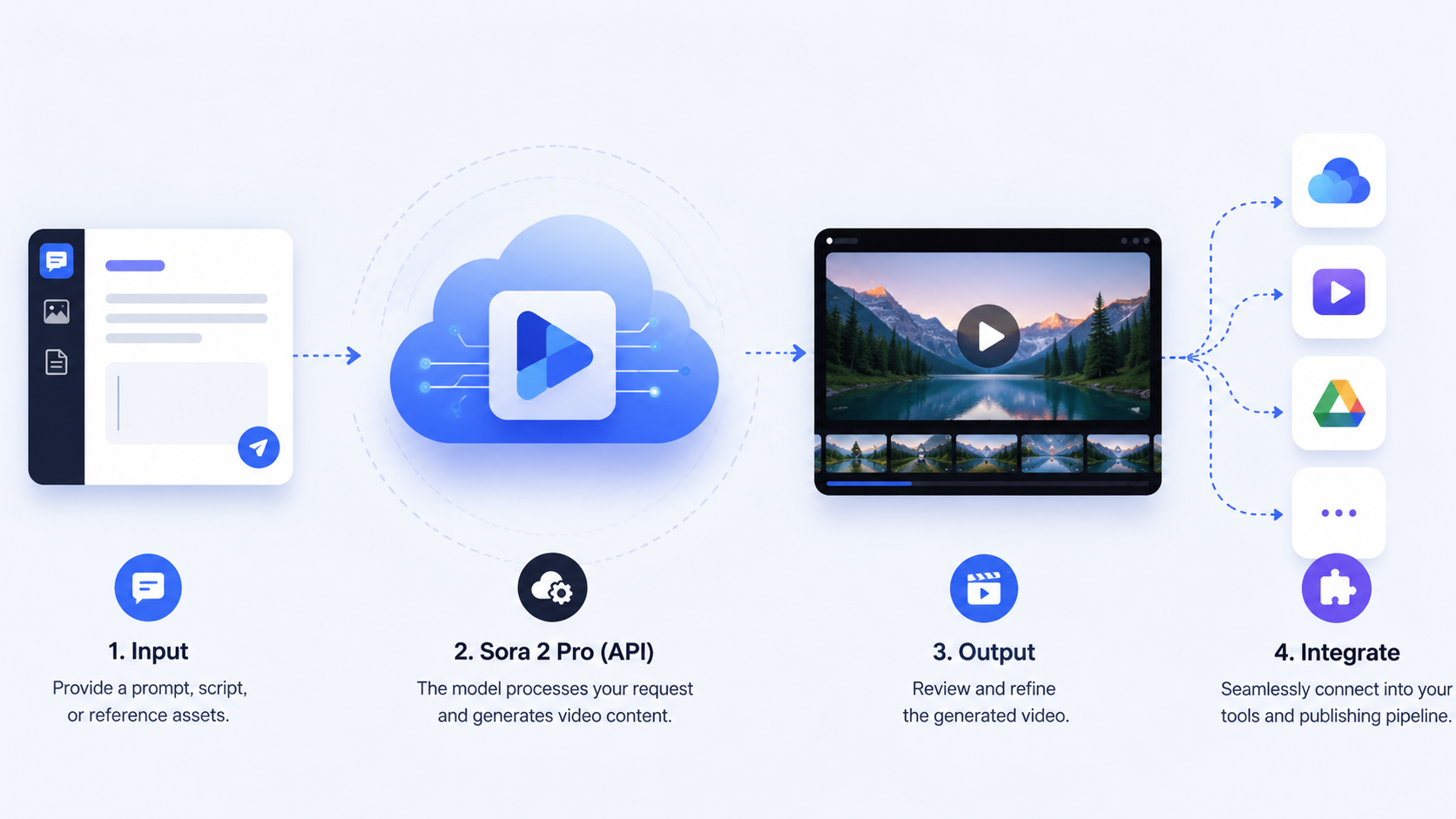
Conclusion: Sora 2 Pro is more compelling when it fits into a repeatable production workflow, especially through API-based integration.
The workflow is straightforward:
- Create an API key
- Send prompts or reference images
- Choose the model, aspect ratio, and creative direction
- Track generation status
- Fetch the result when ready
- Scale with quotas and batching for production use
This matters because the value of a model is not only in the final video quality, but also in how easy it is to operationalize. If you are building a product, automation layer, or internal content pipeline, API access makes the model more practical.
Practical takeaway
If you plan to use sora 2 pro repeatedly, test it inside a real workflow instead of judging it only by one-off output quality. A model that is slightly slower or more structured can still be the better choice if it integrates cleanly.
Cost, Format, and Production Fit
Conclusion: The value of Sora 2 Pro depends on whether the output quality justifies the generation cost and the format matches your needs.
From the available product details:
- A Sora-style generator is available with Sora2-10s
- The example configuration uses 16:9 landscape
- A generation costs 100 credits in the shown setup
Since no broader pricing context is provided here, the safest way to evaluate value is to think in terms of output usefulness per generation. If one high-quality result saves multiple retries or speeds up content creation, the model may be worth it.
Practical takeaway
Before committing, define what a “successful output” means for your team. If you need a specific aspect ratio, controllable camera direction, or synced audio, sora 2 pro is more likely to deliver usable results than a basic generator.
Quick Decision Guide
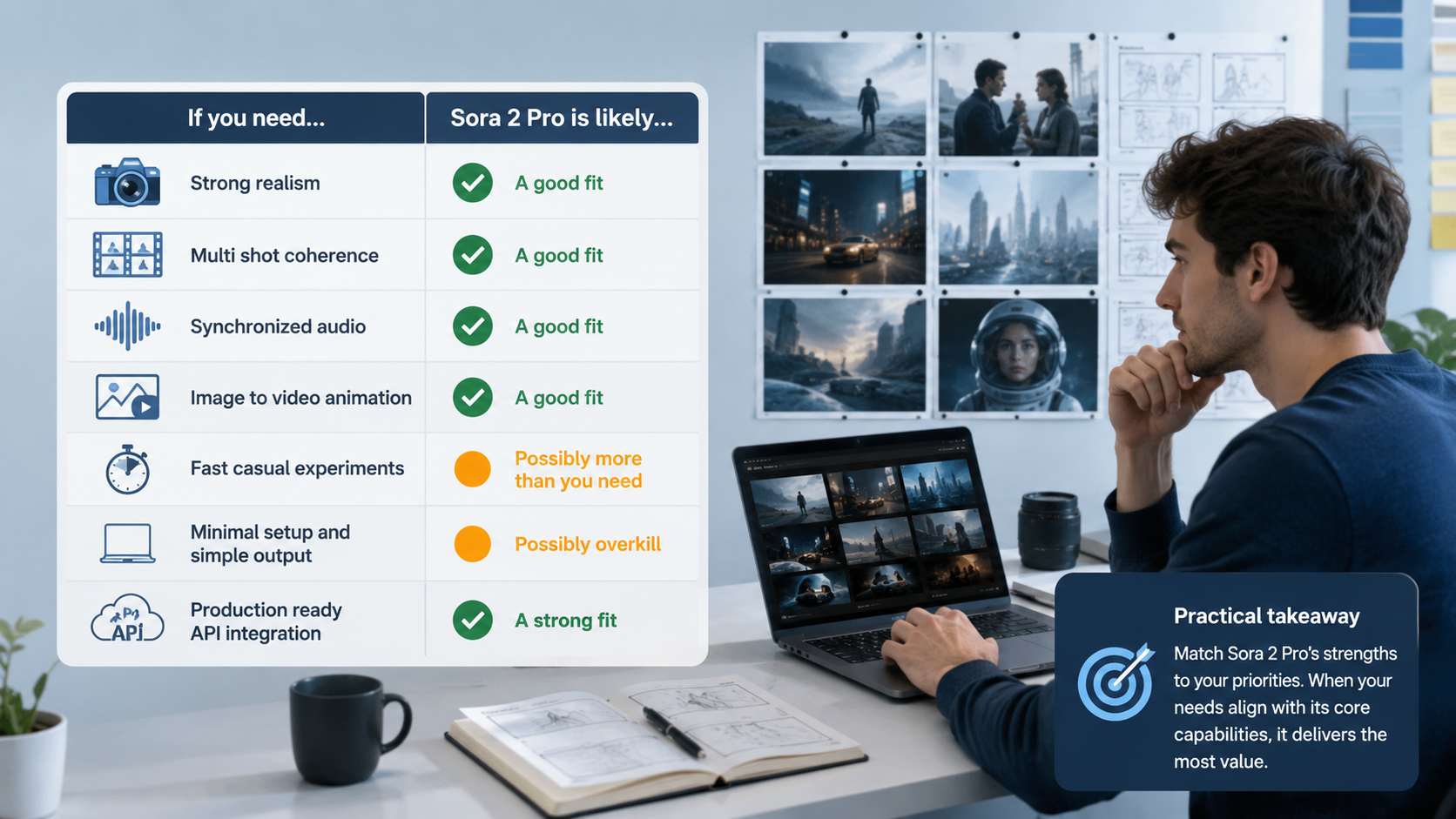
Conclusion: The best way to judge sora 2 pro is by matching its strengths to your workflow.
| If you need... | Sora 2 Pro is likely... |
|---|---|
| Strong realism | A good fit |
| Multi-shot coherence | A good fit |
| Synchronized audio | A good fit |
| Image-to-video animation | A good fit |
| Fast casual experiments | Possibly more than you need |
| Minimal setup and simple output | Possibly overkill |
| Production-ready API integration | A strong fit |
Practical takeaway
If your project depends on quality, control, and repeatability, sora 2 pro is worth serious consideration. If not, a lighter solution may be more efficient.
FAQ
What is Sora 2 Pro best used for?
It is best used for higher-fidelity AI video generation, especially when you need text-to-video, image-to-video, multi-shot storytelling, or synchronized audio.
Does Sora 2 Pro support camera control?
Yes. The available feature set includes camera and style control, including framing, aspect ratio, and cinematic direction.
Can Sora 2 Pro create videos from images?
Yes. Image-to-video generation is one of the core supported modes.
Is Sora 2 Pro useful for production workflows?
Yes, especially if you want API-based integration, generation tracking, quotas, and batching for scale.
When should I avoid using Sora 2 Pro?
Avoid it when you only need basic experiments, rough drafts, or simple visual tests without strong requirements for realism or continuity.
Summary
Sora 2 Pro is worth using when video quality, scene coherence, synchronized audio, and creative control matter to your workflow. It stands out most in cases where you need text-to-video or image-to-video generation with more polished, production-friendly results.
If you are building content systems, testing visual concepts, or creating narrative-style clips, sora 2 pro can be a strong option. If you only need quick and simple outputs, however, it may be more capability than necessary.
The most practical way to decide is to compare your needs against its strengths: if you need realism, continuity, and controllability, it is likely worth it.
Call it with the Sora 2 API
You can run everything in this article from your own code. Call POST /api/ai/generate with your key in the Authorization header (Bearer sk_…), the model, your prompt and options such as duration and aspect ratio. The reply returns a task ID; poll GET /api/ai/task?taskId=… until taskStatus is success. Swap model for any slug listed by GET /api/ai/router01/models. Every parameter is explained in the Sora 2 API documentation.
curl -X POST https://sora2-api.com/api/ai/generate \
  -H "Authorization: Bearer sk_YOUR_API_KEY" \
  -H "Content-Type: application/json" \
  -d '{
    "mediaType": "video",
    "model": "sora-2",
    "prompt": "A red fox runs through fresh snow at sunrise, slow tracking shot",
    "options": { "duration": 8, "aspect_ratio": "16:9" }
  }'
The same flow in JavaScript: submit the task, poll its status and read the video URL.
const headers = {
  Authorization: 'Bearer sk_YOUR_API_KEY',
  'Content-Type': 'application/json',
};

// Submit the task
const submit = await fetch('https://sora2-api.com/api/ai/generate', {
  method: 'POST',
  headers,
  body: JSON.stringify({
    mediaType: 'video',
    model: 'sora-2',
    prompt: 'A red fox runs through fresh snow at sunrise, slow tracking shot',
    options: { duration: 8, aspect_ratio: '16:9' },
  }),
}).then((res) => res.json());
const { taskId } = submit.data;

// Poll until the video is ready, then read its URL
let task;
do {
  await new Promise((resolve) => setTimeout(resolve, 5000));
  task = (
    await fetch(`https://sora2-api.com/api/ai/task?taskId=${taskId}`, { headers }).then(
      (res) => res.json()
    )
  ).data;
} while (!['success', 'failed', 'canceled'].includes(task.taskStatus));
console.log(task.taskInfo?.videos?.[0]?.videoUrl);
Go further: Sora 2 Pro API reference · Sora 2 API pricing