
Sora 2 API Documentation Complete Guide: From Getting Started to Efficient OpenAI Video Generation
Sora 2 API Documentation Complete Guide: From Getting Started to Efficient OpenAI Video Generation
If you want to understand how to integrate Sora 2 API documentation into a real product workflow, this guide gives you the practical overview you need. You’ll learn what the API is for, what features matter most, how the generation flow works, and how to plan a reliable integration for text-to-video and image-to-video experiences.
1. What Sora 2 API Documentation Is Trying to Help You Build
Conclusion: The documentation is mainly useful if you want to build video generation features with controllable inputs, consistent output behavior, and production-friendly API integration.
Sora 2 API documentation typically focuses on how to generate videos from either text prompts or reference images. According to the reference information, the unified API supports Sora-style video generation with realistic motion, synchronized audio, and camera direction control. That makes it relevant for teams building creative tools, content automation pipelines, or AI-powered video experiences.
What the API supports
- Text-to-video generation from natural language prompts
- Image-to-video generation using reference frames
- Multi-shot storytelling with coherent transitions
- Synchronized audio for dialogue, sound effects, or ambience
- Camera and style control for more directed outputs
Practical advice
If you are evaluating the documentation, look for:
- Authentication setup
- Request formats for prompt-based and image-based generation
- Status polling behavior
- Result retrieval methods
- Model and aspect ratio options
- Credit or quota rules
This helps you determine whether the API is suitable for prototype work, internal tools, or production workloads.
2. How the Sora 2 Generation Flow Works
Conclusion: The integration flow is straightforward: create credentials, submit a generation request, monitor job status, and fetch the finished video.
The reference notes describe a simple workflow:
- Create an API key
- Send prompts or reference images
- Track generation status
- Fetch results when the job is ready
This is the core structure you should expect from a video-generation API documentation set.
Typical integration stages
| Stage | Purpose | What to Prepare |
|---|---|---|
| API key setup | Authenticate your requests | Dashboard access and key management |
| Request submission | Start a generation job | Prompt, image input, model, aspect ratio |
| Status tracking | Check whether the job is still running | Polling logic or job status endpoint |
| Result retrieval | Get the final video output | Storage, download handling, delivery flow |
Practical advice
To keep your integration stable:
- Separate request creation from result handling
- Build retry logic for status checks
- Store job IDs so users can return to unfinished tasks
- Validate user input before sending requests
- Plan for asynchronous processing, since video generation is not immediate
If you are writing documentation for your own product, this flow is also easy for users to understand and reuse.
3. Key Features You Should Pay Attention To
Conclusion: The most valuable features are not just video generation itself, but control, consistency, and output quality across different use cases.
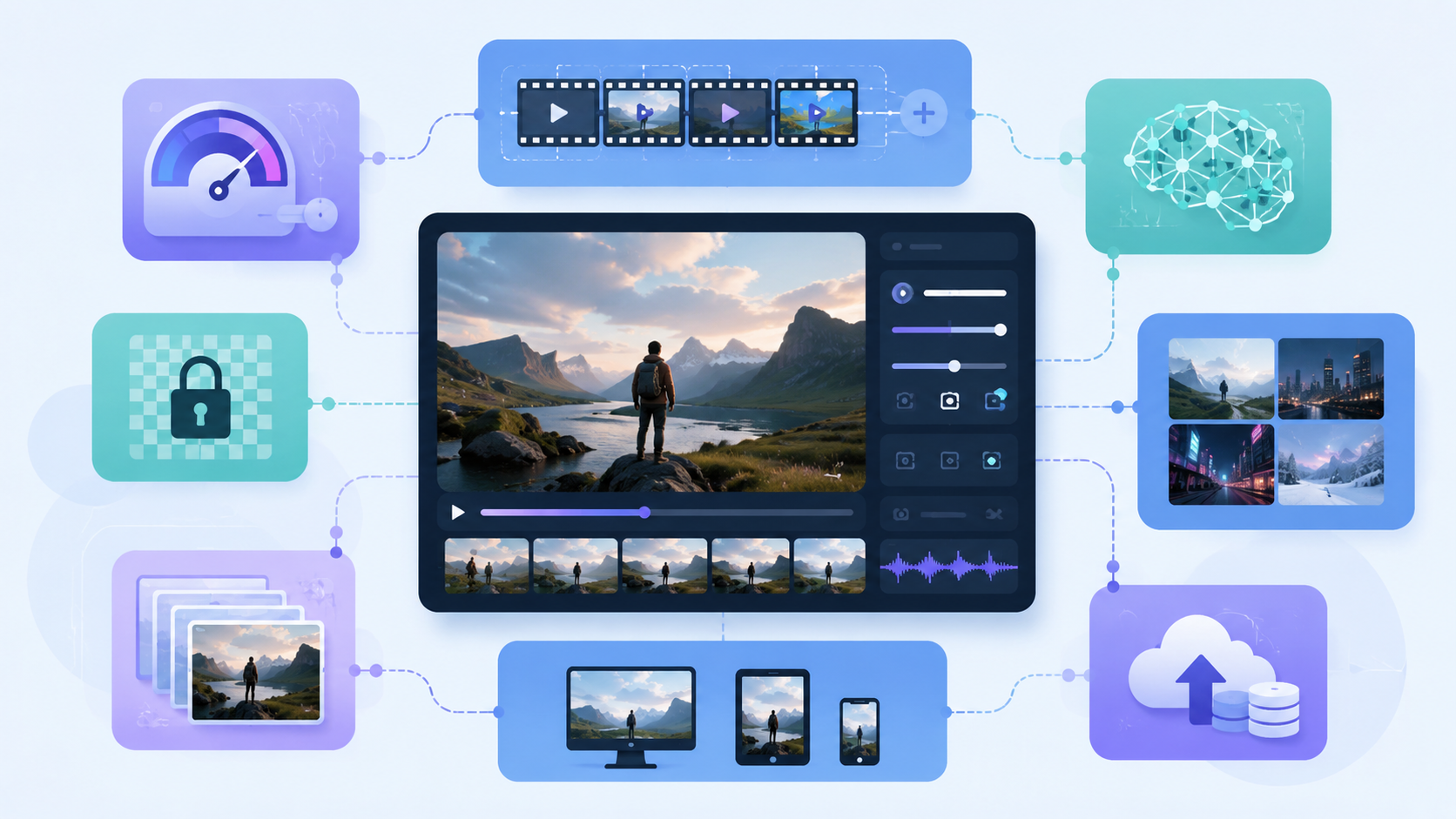
The feature set in the reference material highlights several important capabilities that matter in real deployments. These are especially relevant if your product needs more than a single-shot video output.
Feature breakdown
-
Text-to-video generation
Useful when users want to describe a scene in words and receive a video clip. -
Image-to-video generation
Useful when a reference image needs to be animated into a moving scene. -
Sora 2 Pro tier
Useful when your workflow requires higher-fidelity output options. -
Camera and style control
Useful when framing, motion, or cinematic direction matters. -
Multi-shot sequences
Useful for storytelling workflows where continuity across scenes is important. -
Synchronized audio
Useful for producing more complete output with sound effects, ambience, or dialogue. -
REST API integration
Useful for production environments that need standard API behavior and predictable responses.
Practical advice
When deciding how to use the API, match features to product goals:
- Use text-to-video for prompt-driven creative tools
- Use image-to-video for avatar, animation, or visual enhancement workflows
- Use multi-shot sequences for narrative content
- Use audio synchronization when the final asset needs more realism
- Use camera control when consistency in framing matters
Do not try to enable every option at once. Start with the smallest useful feature set, then expand based on user demand.
4. Configuration, Cost, and Output Planning
Conclusion: Good planning depends on understanding model choice, aspect ratio, and generation cost before you scale usage.
The reference information mentions a sample configuration:
- Model: Sora2-10s
- Aspect ratio: 16:9 landscape
- Cost per generation: 100 credits

That means your documentation or implementation should clearly surface these settings to users before they submit a request.
What to clarify in your product or internal workflow
- Which model is selected by default
- Which aspect ratios are supported
- Whether users can choose between text-to-video and image-to-video
- How credit usage is calculated
- Whether higher-tier outputs are available
- How long a typical generation request remains pending
Practical advice
To avoid confusion:
- Show cost before submission
- Explain the impact of model selection
- Make aspect ratio a visible input, not a hidden setting
- Provide a preview of expected output format
- Warn users that generation is asynchronous
If your goal is efficient adoption, transparency matters. Users are more likely to trust the system if they know what each request will consume and what output format to expect.
5. Best Practices for a Production-Ready Integration
Conclusion: The best integrations are built around reliability, clear status handling, and simple user-facing controls.
The reference material suggests a production-oriented API design with quotas, batching, and structured responses. That means you should focus on operational quality, not just feature access.
Recommended implementation practices
-
Use API keys securely
Store credentials in protected environments and avoid exposing them in frontend code. -
Track generation jobs explicitly
Keep a job record so you can show progress and completion state. -
Handle asynchronous workflows
Video generation takes time, so use polling or background processing. -
Support retries carefully
Make sure retries do not create duplicate user charges or duplicate jobs. -
Design around user intent
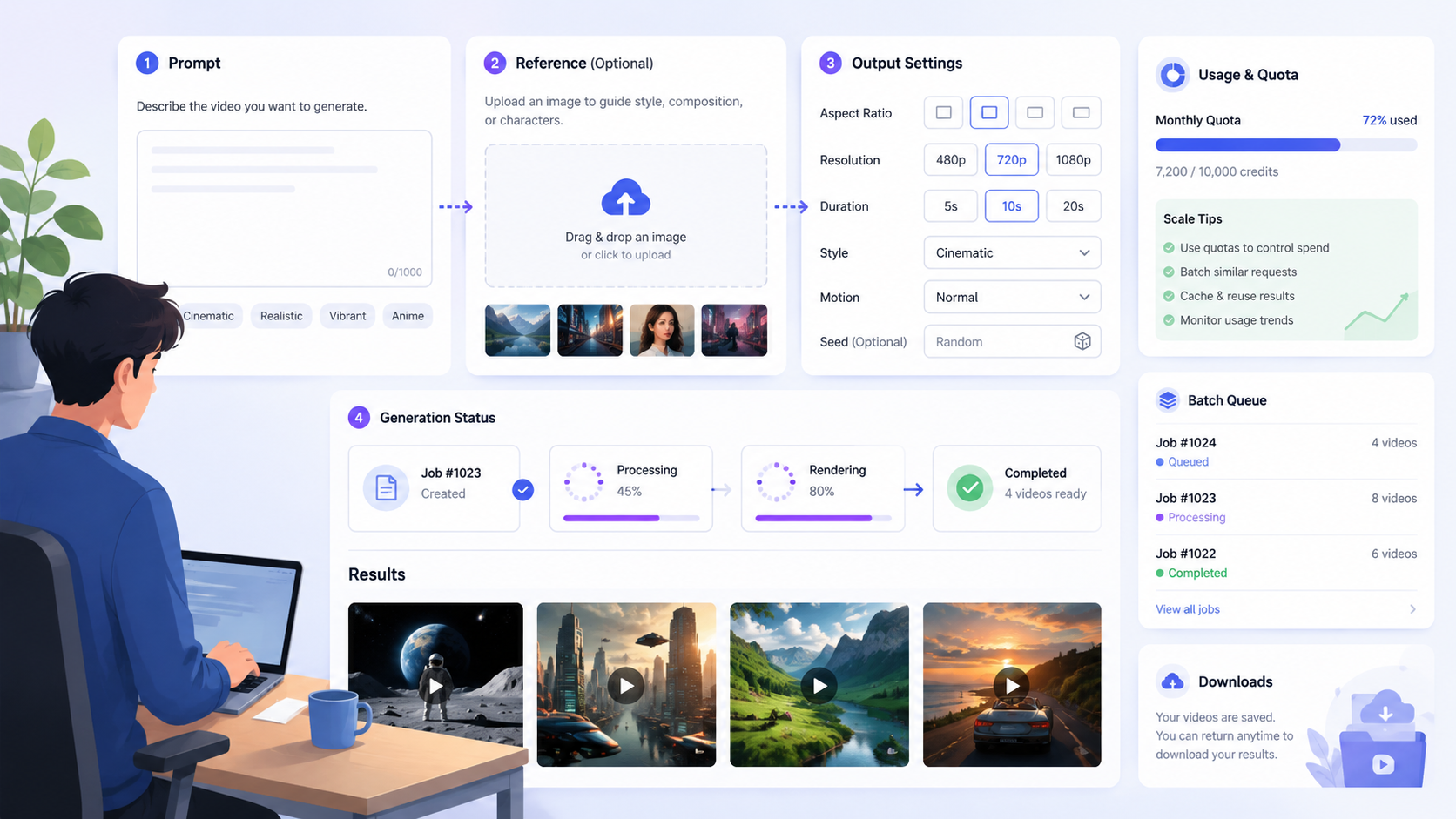
Separate prompt input, reference image upload, and output settings clearly. -
Plan for scale early
Use quotas and batching if you expect repeated or high-volume requests.
Practical advice
If you are building a content tool:
- Provide a simple prompt form
- Add clear aspect ratio and style options
- Show generation status in the UI
- Let users return later to download results
If you are writing documentation:
- Include examples for both text-to-video and image-to-video
- Explain when to use each endpoint or job type
- Describe error handling and status transitions clearly
A well-structured integration reduces support requests and makes the product easier to adopt.
FAQ
What is sora 2 api documentation used for?
It is used to explain how to integrate a Sora 2 video generation API into an application, including authentication, request submission, job tracking, and output retrieval.
Does the API support both text and images?
Yes. The reference material describes both text-to-video and image-to-video workflows.
Can I control the camera or style?
Yes. The feature set includes camera and style control, including framing, aspect ratio, and cinematic direction.
Does the API generate audio too?
Yes. The reference notes synchronized audio, including dialogue, sound effects, and ambience aligned with the video.
Is the generation process immediate?
No. The workflow is asynchronous, so you need to submit a job, track its status, and fetch the result when it is ready.
What should I check before integrating it?
You should review API key setup, supported models, aspect ratio options, job status handling, and cost or credit usage rules.
Summary
Sora 2 API documentation is most useful when you need a clear path from prompt or image input to finished AI-generated video. The core workflow is simple: authenticate, submit a generation request, track progress, and retrieve the result. The most important features to understand are text-to-video, image-to-video, multi-shot storytelling, synchronized audio, and camera/style controls.
If you are planning an integration, start with a minimal workflow, expose configuration clearly, and design for asynchronous processing. That will help you build a smoother and more reliable video generation experience.