
Sora 2 API Not Working? Common Causes and Fixes
Sora 2 API Not Working? Common Causes and Fixes
If your sora 2 api is not working, the problem is usually not the model itself but one of a few practical issues: authentication, request format, quota limits, job polling, or unsupported parameters. This guide helps you quickly identify the failure point and apply the right fix, so you can get back to generating video with less trial and error.
1. Check API Key, Authentication, and Endpoint Setup
Conclusion: The most common cause of a failed request is a configuration issue, especially an invalid API key or the wrong endpoint.
When integrating a Sora-style video generation API, the request usually depends on a valid key generated from the dashboard and a correctly configured REST endpoint. If either is wrong, the service may reject the call before generation even starts.
Common signs
401 Unauthorizedor403 Forbidden- Requests fail immediately
- The dashboard shows no new job
- Your code works in one environment but not another
What to verify
- Make sure your API key is active and copied correctly.
- Confirm the key is being sent in the expected header or authentication method.
- Check whether your app is pointing to the correct base URL.
- Ensure you are using the right project or account associated with the key.
Actionable fixes
- Regenerate the API key if you suspect it was revoked or copied incorrectly.
- Store the key in environment variables instead of hardcoding it.
- Test the same request with a minimal script or API client to isolate application issues.
- Compare your request headers against the API documentation to confirm the authentication format.
2. Validate Request Payload, Model Choice, and Media Inputs
Conclusion: A malformed prompt, unsupported parameter, or incorrect image input can cause generation to fail even when authentication is correct.
Sora-style APIs often support both text-to-video and image-to-video workflows. That means the request must match the selected generation mode. If the payload does not align with the model’s expected input, the job may be rejected or remain stuck.
Common signs
400 Bad Request- Job accepted but never progresses
- Output is missing, incomplete, or inconsistent
- The model returns validation errors
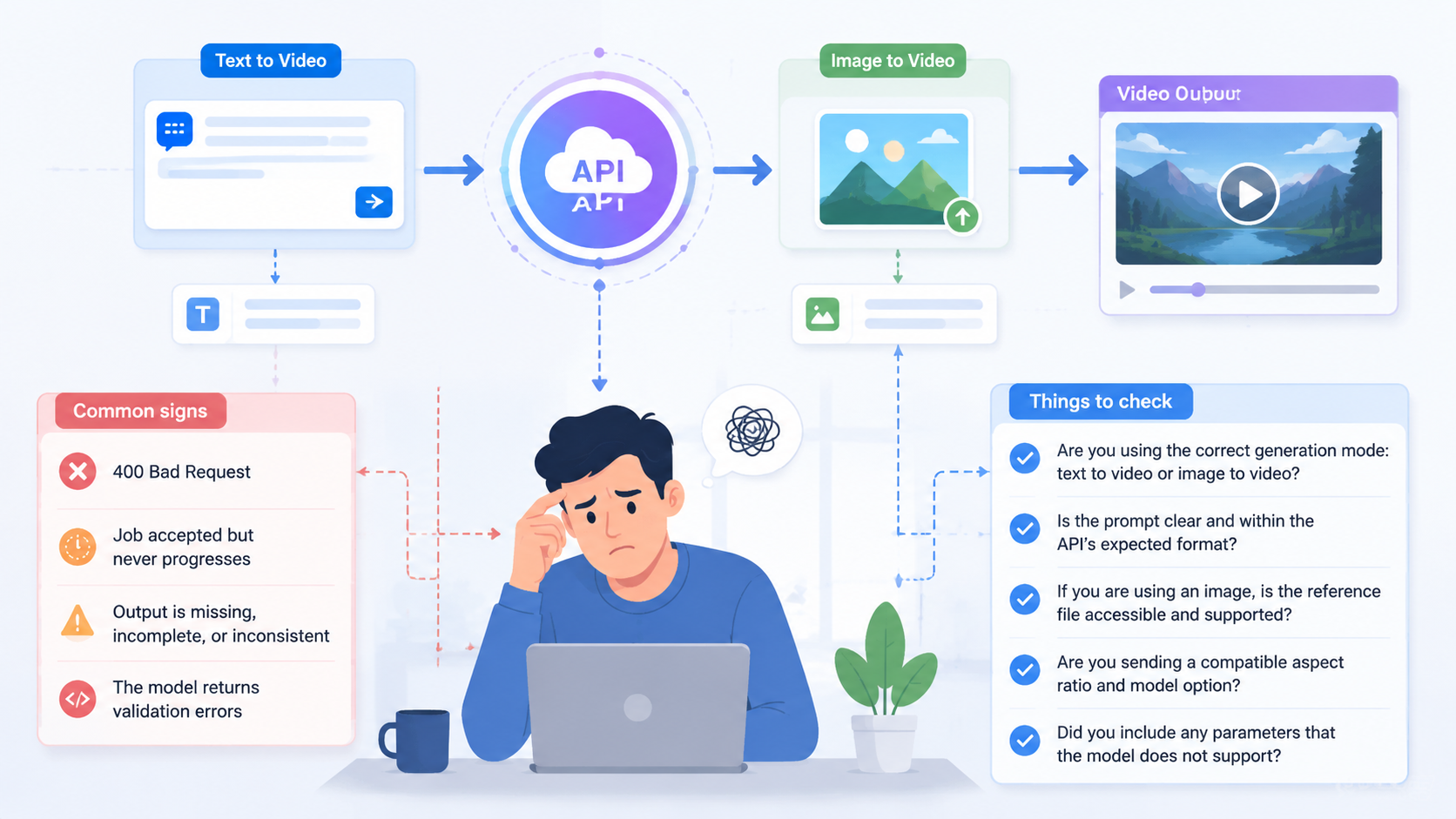
Things to check
- Are you using the correct generation mode: text-to-video or image-to-video?
- Is the prompt clear and within the API’s expected format?
- If you are using an image, is the reference file accessible and supported?
- Are you sending a compatible aspect ratio and model option?
- Did you include any parameters that the model does not support?
Practical fixes
- Start with a simple prompt and fewer parameters.
- Remove optional fields one by one to find the breaking point.
- Use a known-good image when testing image-to-video generation.
- Confirm the selected model matches your use case, such as a standard or higher-fidelity tier.
- Keep framing, aspect ratio, and camera direction settings consistent with the API’s supported inputs.
3. Check Quotas, Credits, and Rate Limits
Conclusion: Even if your request is valid, generation can fail or pause when credits, quotas, or rate limits are exhausted.
Production APIs typically require usage limits to protect the service and manage compute demand. If your account runs out of credits or exceeds request thresholds, jobs may stop working as expected.
Common signs
- Requests are accepted but not processed
- Repeated failures after multiple tries
- Errors related to quota, usage, or throttling
- Generation works intermittently
What to verify
- Your account has enough credits for the requested generation.
- Your usage has not hit a quota or batching limit.
- You are not sending too many requests too quickly.
- You understand the cost per generation for the model you selected.
Actionable fixes
- Check your dashboard for available credits and usage status.
- Reduce request frequency when testing or retrying jobs.
- Implement backoff logic for retries instead of rapid polling.
- Batch requests more carefully if your workflow supports it.
- If needed, upgrade access or switch to a model tier that better matches your workload.
4. Inspect Job Status, Polling Logic, and Result Retrieval
Conclusion: A successful submission does not always mean the video is ready, so broken polling or result fetching can look like the API is failing.
Many video generation APIs are asynchronous. You submit a job, then poll for status until the output is ready. If your polling logic is incorrect, you may think the API is not working when the job is simply still running or your app is not fetching the final result correctly.
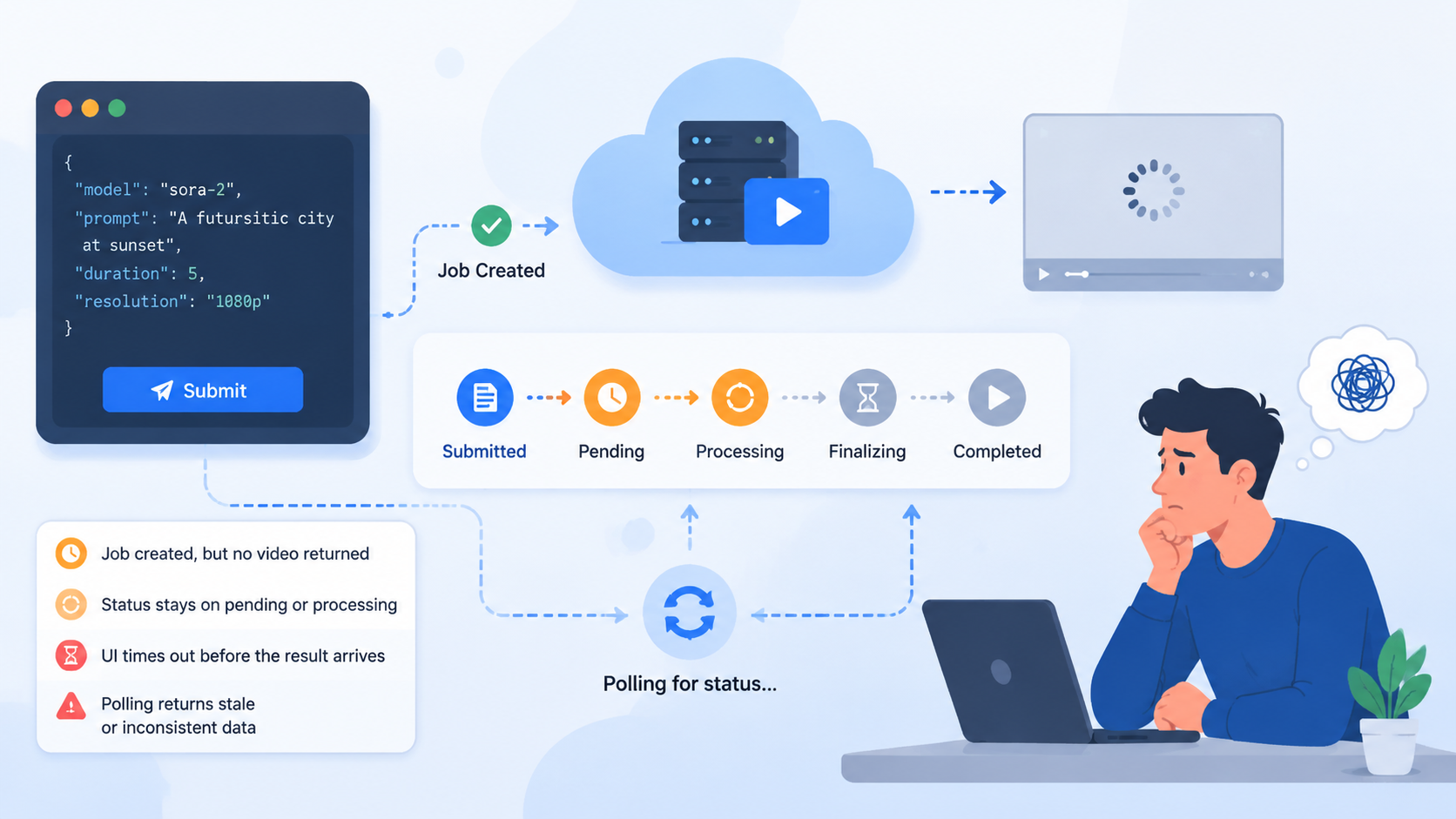
Common signs
- The job is created, but no video is returned
- Status stays on pending or processing
- The UI times out before the result arrives
- Polling returns stale or inconsistent data
What to verify
- Your code checks the correct job ID.
- The polling interval is reasonable.
- You handle all status states properly, such as pending, processing, succeeded, and failed.
- You are retrieving the final result from the correct response field or endpoint.
Practical fixes
- Log the job ID after submission and confirm it matches the polling request.
- Increase the waiting time before declaring failure.
- Add clear state handling in your frontend or backend.
- Make sure the result URL or output payload is parsed correctly.
- Separate submission errors from processing delays in your error handling.
5. Confirm Production Readiness and Integration Details
Conclusion: Some issues come from the surrounding application, not the video model itself.
If the API works in a test tool but fails inside your app, the problem may be your integration layer. Network restrictions, serverless timeouts, bad environment variables, or broken file handling can all interrupt the workflow.
Common signs
- Works in Postman or a local test, but not in production
- Timeouts in browser, serverless, or mobile environments
- File upload or image URL access fails
- Requests are blocked by CORS or firewall rules
Recommended checks
- Confirm your runtime can reach the API endpoint.
- Verify environment variables are available in production.
- Make sure uploaded images or assets are publicly accessible if required.
- Check whether your app times out before the generation job completes.
- Review logs for hidden errors in parsing, networking, or serialization.
Actionable fixes
- Test the same request from backend code before involving the UI.
- Use server-side calls for sensitive authentication and long-running jobs.
- Add retry and timeout handling appropriate for asynchronous video generation.
- Validate all input before sending the request.
- Keep your integration minimal until the core flow works reliably.
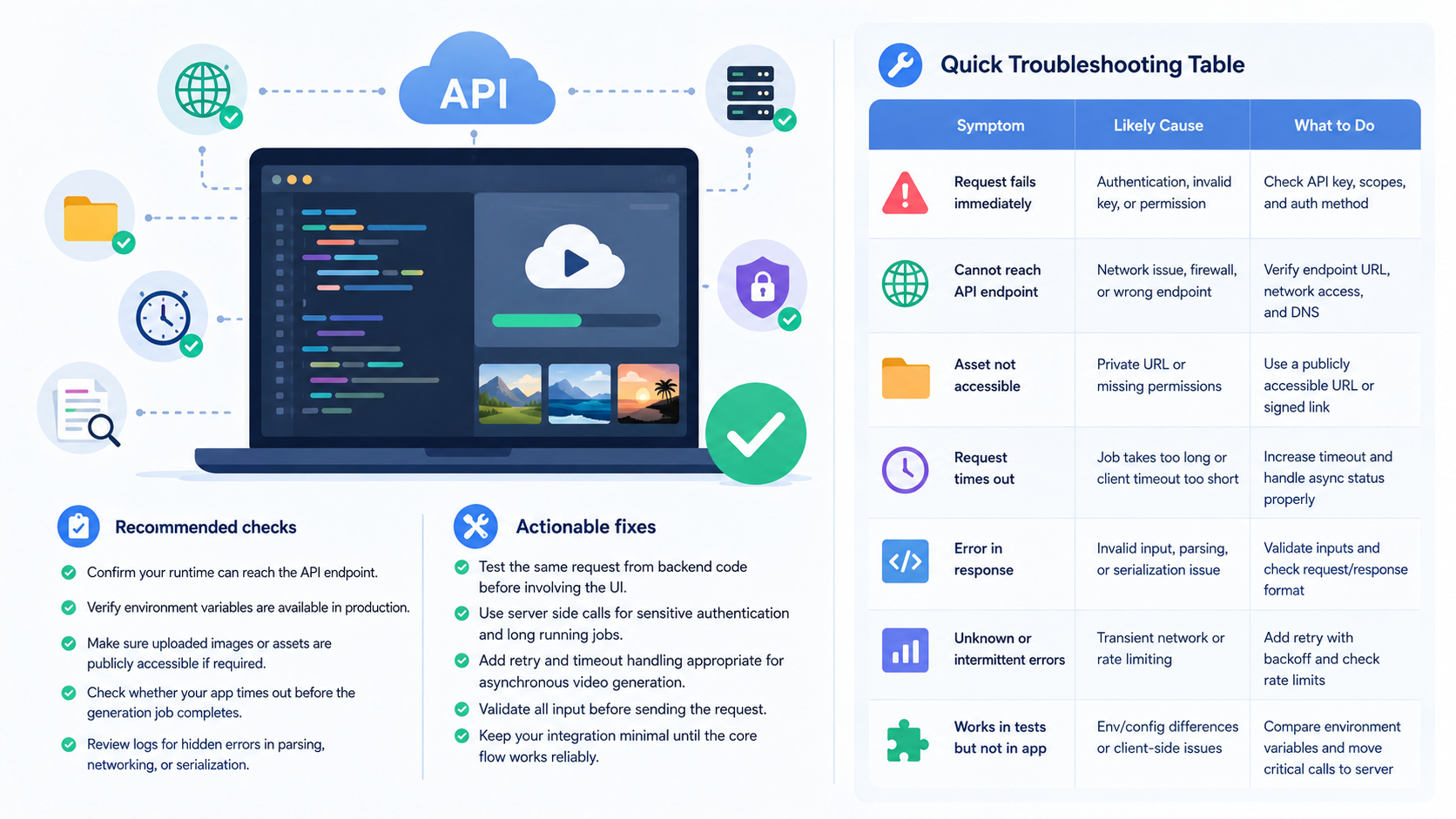
Quick Troubleshooting Table
| Symptom | Likely Cause | Recommended Fix |
|---|---|---|
401 or 403 error | Invalid or missing API key | Recheck authentication, regenerate the key if needed |
400 validation error | Bad payload or unsupported parameters | Simplify the request and confirm input format |
| Job stays pending | Polling logic or processing delay | Verify job ID and extend polling logic |
| No output returned | Result retrieval issue | Check the final response fields and output endpoint |
| Intermittent failures | Quota or rate limiting | Review credits, usage, and retry behavior |
| Works locally but not in production | Integration or environment problem | Inspect environment variables, timeouts, and network access |
FAQ
Why does my Sora 2 API request fail immediately?
This usually points to authentication or endpoint setup issues. Check your API key, base URL, and request headers first.
Why is my job stuck in processing?
The job may still be running, or your polling logic may not be reading the correct status. Confirm the job ID and status-handling flow.
Can unsupported parameters break the request?
Yes. If you send fields the API does not recognize, the request may fail validation or behave unpredictably.
Why does text-to-video work but image-to-video fails?
The image input may be inaccessible, incorrectly formatted, or incompatible with the selected model or request structure.
What should I do first when sora 2 api is not working?
Start with authentication, then simplify the request, then check credits and polling. This usually isolates the issue fastest.
Conclusion
When sora 2 api is not working, the root cause is often one of a few repeatable issues: authentication errors, payload mismatches, exhausted credits, asynchronous job handling mistakes, or integration problems in your app environment.
The fastest debugging approach is:
- Confirm API key and endpoint settings
- Simplify the request payload
- Check credits and rate limits
- Verify job polling and result parsing
- Test the integration outside your main app
If you follow that order, you can usually find the issue without guessing.