
What Is Sora 2? A Practical Guide to Its Core Capabilities and Use Cases
What Is Sora 2? A Practical Guide to Its Core Capabilities and Use Cases
If you are trying to understand what Sora 2 is, the short answer is: it is an AI video generation model designed to turn prompts or reference images into realistic video content with motion, scene continuity, and synchronized audio. This article explains what Sora 2 can do, where it fits in real workflows, and how teams can use it effectively without overcomplicating the setup.
1. Sora 2 in Simple Terms
Conclusion: Sora 2 is best understood as a next-generation video generation capability for creating AI-generated videos from text or images.
Sora 2 is described as supporting both text-to-video and image-to-video generation. That means you can either write a prompt and generate a video from scratch, or provide a reference image and animate it into a moving scene. The main value is not just visual generation, but also realistic motion, camera direction control, and synchronized audio.
This makes Sora 2 relevant for creators and product teams who want to prototype videos quickly, test concepts, or automate parts of a content pipeline.
Practical advice:
- Use text-to-video when you want the model to interpret a concept from scratch.
- Use image-to-video when you already have a visual direction and want motion added.
- Start with short, clearly scoped prompts to keep the output more controllable.
2. Core Capabilities of Sora 2
Conclusion: The key strengths of Sora 2 are realism, flexibility, and support for structured video generation.
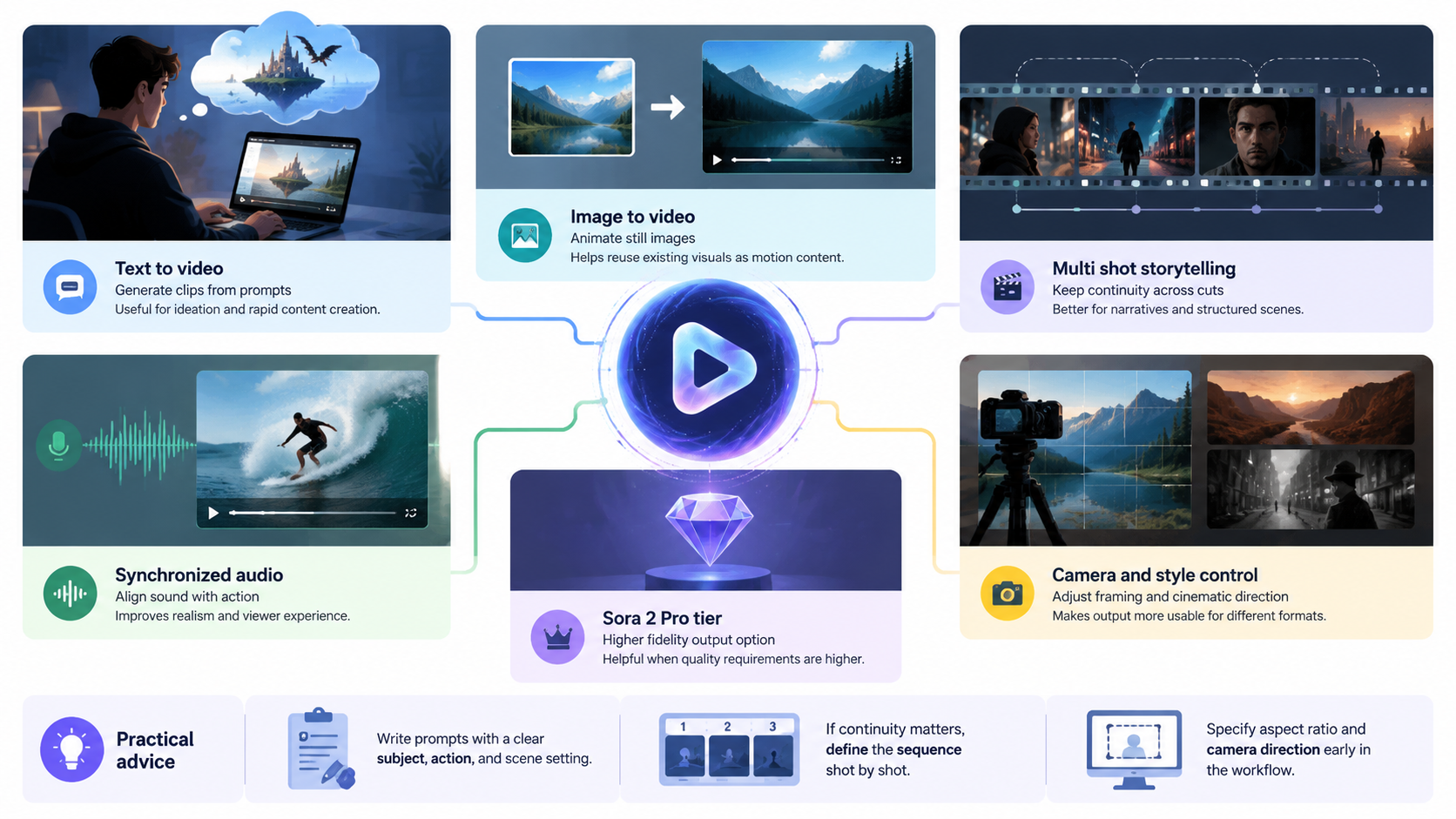
According to the reference information, Sora 2-style generation emphasizes several important capabilities:
- generating videos from natural language prompts
- animating reference images
- maintaining consistency across multi-shot sequences
- producing synchronized audio
- allowing camera and style control
These capabilities matter because video generation is not just about making something “look good.” In production use, teams often need coherence between shots, audio that matches the action, and controllable framing for different formats.
Capability Overview
| Capability | What it Enables | Why It Matters |
|---|---|---|
| Text-to-video | Generate clips from prompts | Useful for ideation and rapid content creation |
| Image-to-video | Animate still images | Helps reuse existing visuals as motion content |
| Multi-shot storytelling | Keep continuity across cuts | Better for narratives and structured scenes |
| Synchronized audio | Align sound with action | Improves realism and viewer experience |
| Camera and style control | Adjust framing and cinematic direction | Makes output more usable for different formats |
| Sora 2 Pro tier | Higher-fidelity output option | Helpful when quality requirements are higher |
Practical advice:
- Write prompts with a clear subject, action, and scene setting.
- If continuity matters, define the sequence shot by shot.
- Specify aspect ratio and camera direction early in the workflow.
3. Common Use Cases for Sora 2
Conclusion: Sora 2 is most useful when teams need fast, flexible video creation with controlled output.
The reference material highlights a workflow that supports both creative experimentation and production-oriented usage. That makes Sora 2 a good fit for several practical scenarios:
- Concept visualization: quickly turn ideas into video drafts
- Marketing content: create motion-based assets for campaigns
- Product storytelling: illustrate features or workflows in a visual format
- Prototype generation: test creative directions before committing to full production
- Content automation: integrate generation into systems through an API
Sora 2’s support for multi-shot sequences and synchronized audio also makes it useful when a simple single-scene clip is not enough.
Practical advice:
- For marketing, focus on a single message per clip.
- For product demos, describe the action in sequence to preserve clarity.
- For automated workflows, define a repeatable prompt structure.
4. How Sora 2 Can Be Used in a Production Workflow
Conclusion: Sora 2 becomes more valuable when it is used as part of a repeatable workflow rather than as a one-off tool.
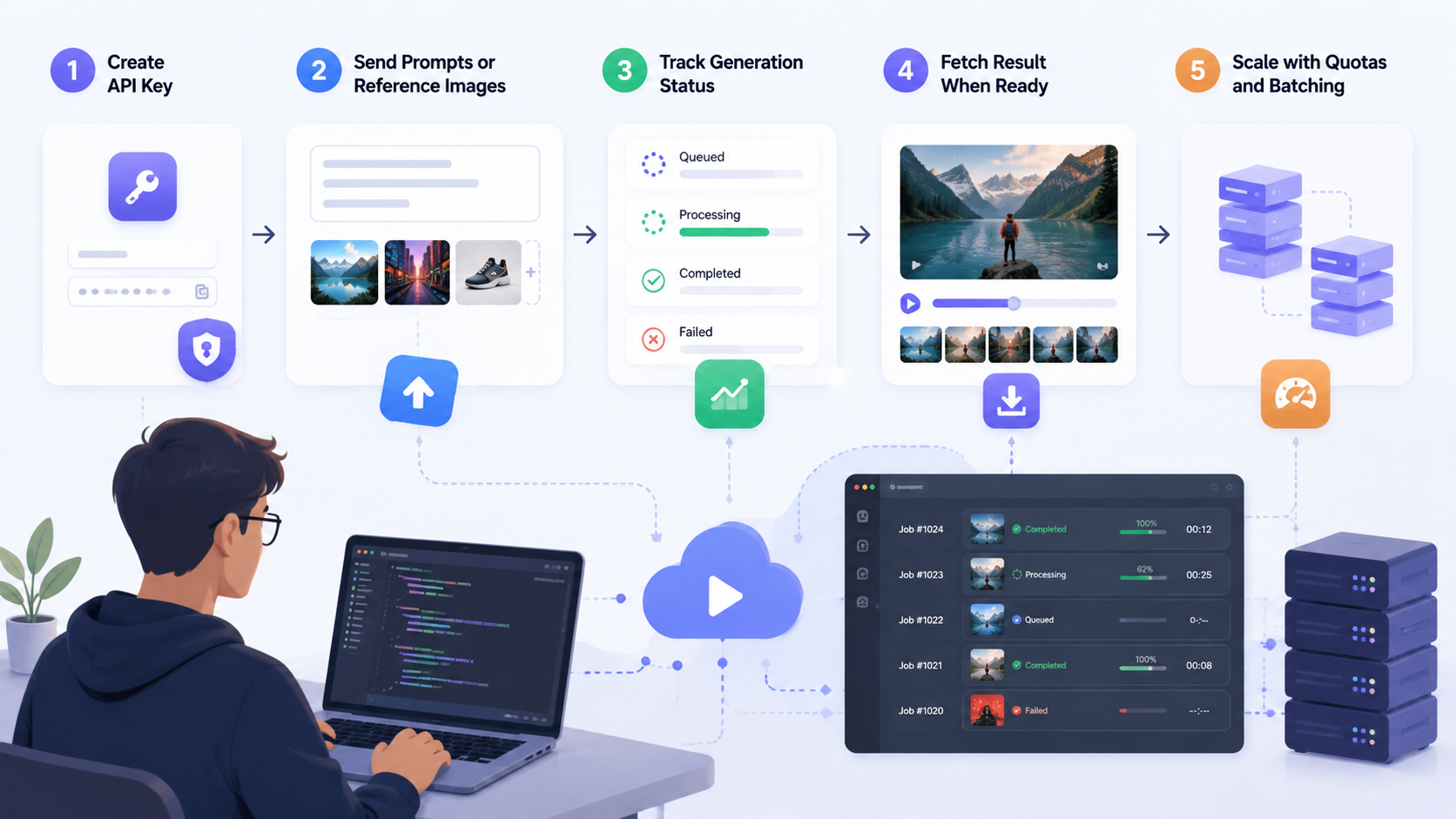
The reference describes a unified API approach where users:
- create an API key,
- send prompts or reference images,
- track generation status,
- fetch the result when ready,
- scale with quotas and batching.
This is important because production teams usually need more than a demo interface. They need predictable integration, job tracking, and the ability to handle multiple requests.
Suggested workflow
-
Define the output goal
- Decide whether you need a promo clip, product visual, or scene prototype.
-
Prepare the prompt or image
- Keep the request specific.
- Include desired motion, style, and framing.
-
Choose the configuration
- Select model type, aspect ratio, and creative direction.
- The reference mentions a
Sora2-10smodel option and16:9landscape framing.
-
Submit and monitor the job
- Use job status tracking to know when generation is complete.
-
Review and iterate
- Adjust prompt clarity, camera direction, or sequence structure if needed.
Practical advice:
- Treat prompt writing like a production brief.
- Use batches if you plan to generate multiple variations.
- Keep a consistent template for repeated workflows.
5. What to Consider Before Using Sora 2
Conclusion: The best results come from matching Sora 2’s strengths to the right task.
Before adopting Sora 2 in a content pipeline, it helps to think about fit. The model appears designed for realistic motion, audio synchronization, and structured video generation, which means it may be especially useful when you need visual storytelling rather than static imagery.
Here are a few things to consider:
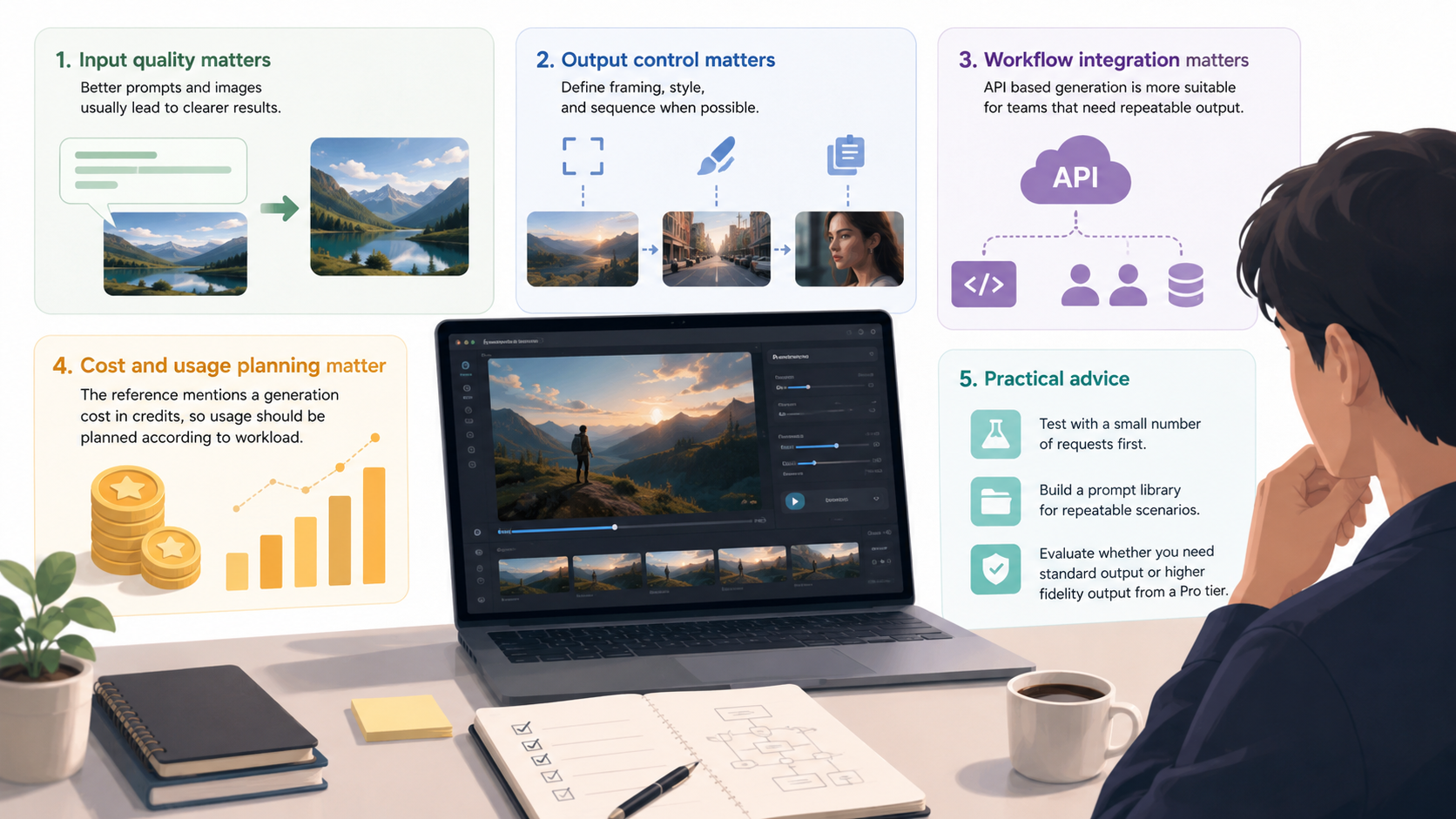
- Input quality matters: better prompts and images usually lead to clearer results.
- Output control matters: define framing, style, and sequence when possible.
- Workflow integration matters: API-based generation is more suitable for teams that need repeatable output.
- Cost and usage planning matter: the reference mentions a generation cost in credits, so usage should be planned according to workload.
Practical advice:
- Test with a small number of requests first.
- Build a prompt library for repeatable scenarios.
- Evaluate whether you need standard output or higher-fidelity output from a Pro tier.
FAQ
What is Sora 2?
Sora 2 is an AI video generation model focused on creating realistic videos from text prompts or reference images, with support for motion, audio, and scene continuity.
Can Sora 2 generate videos from text only?
Yes. The reference information indicates that Sora 2 supports text-to-video generation.
Can Sora 2 animate images?
Yes. It also supports image-to-video generation, which can animate reference images into moving scenes.
Does Sora 2 support audio?
Yes. One of its highlighted capabilities is synchronized audio, including sound effects, dialogue, and ambience aligned with the action.
Is Sora 2 suitable for production workflows?
It can be, especially when used through an API with job tracking, configuration control, and batch processing support.
Summary
Sora 2 is an AI video generation capability built for creating realistic, controllable video from text or images. Its main strengths are text-to-video generation, image-to-video animation, multi-shot storytelling, synchronized audio, and camera/style control. For teams and creators, the practical value is clear: faster video prototyping, more flexible content creation, and better integration into production workflows.
If you want to use Sora 2 effectively, focus on clear prompts, structured scene descriptions, and a repeatable workflow. That will help you get outputs that are not only creative, but also useful in real content operations.